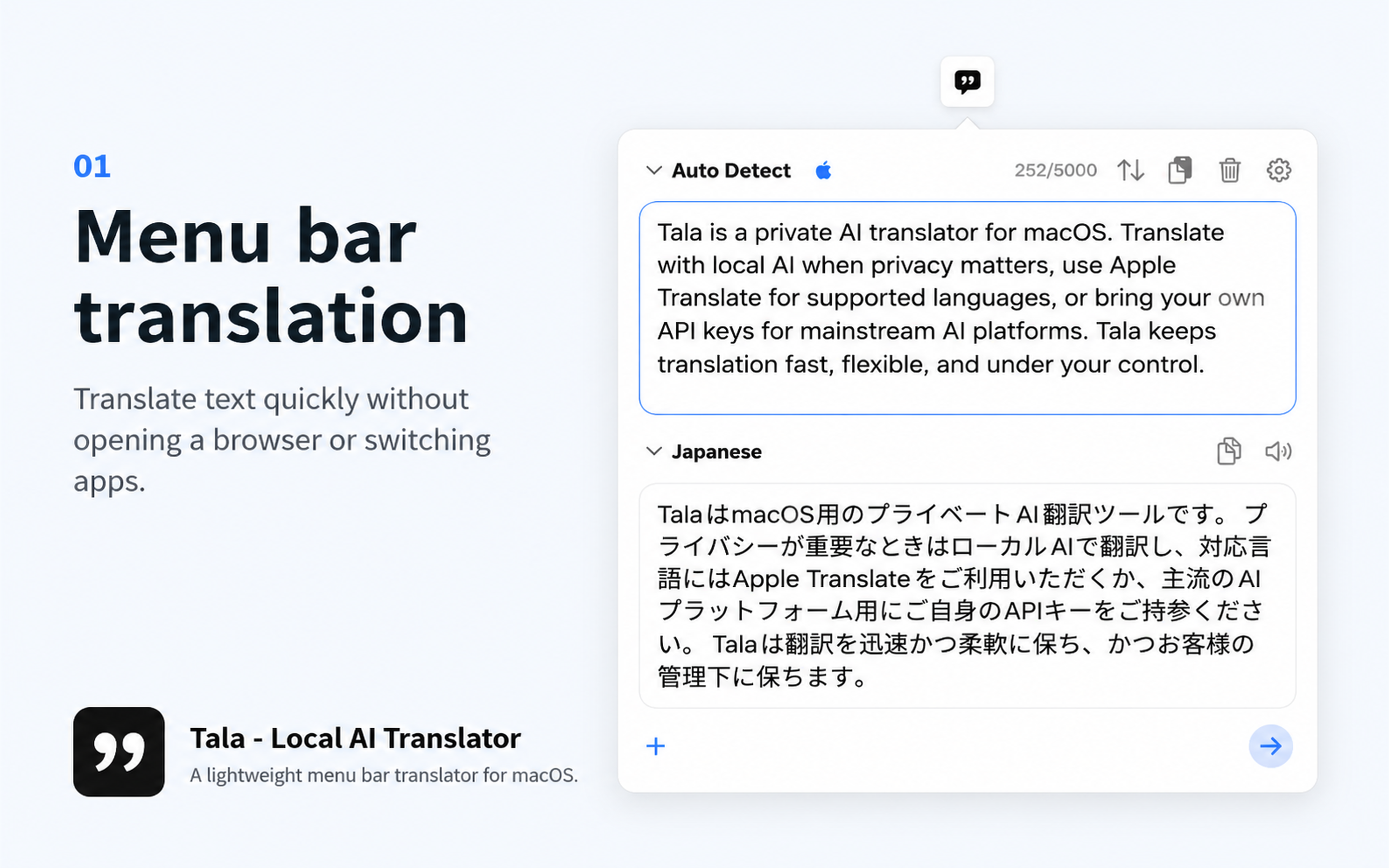
Translate from the menu bar
Keep the translation window close without switching into a large workspace or opening a new browser tab.
Local AI translator for Mac
Use local AI, Apple Translate, Hunyuan, or your own API keys. Tala gives you fast everyday translation while keeping privacy and provider choice in your hands.
Now on the Mac App Store. Built for short text translation from the menu bar.
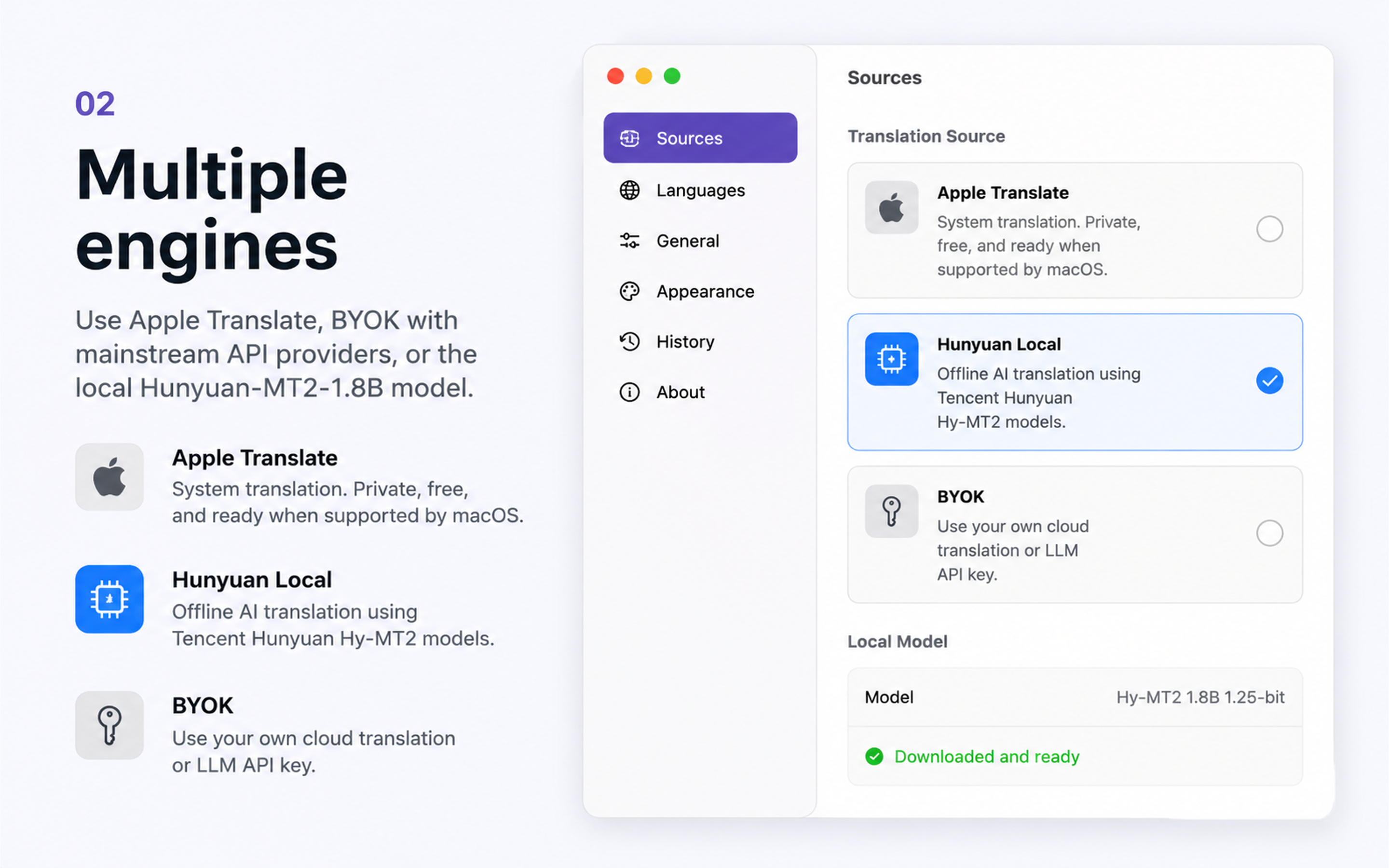
02 Multiple engines
Tala keeps provider choice visible. Use Apple Translate for native macOS coverage, switch to local Hunyuan when privacy matters, or use BYOK when you want cloud model quality under your own account.
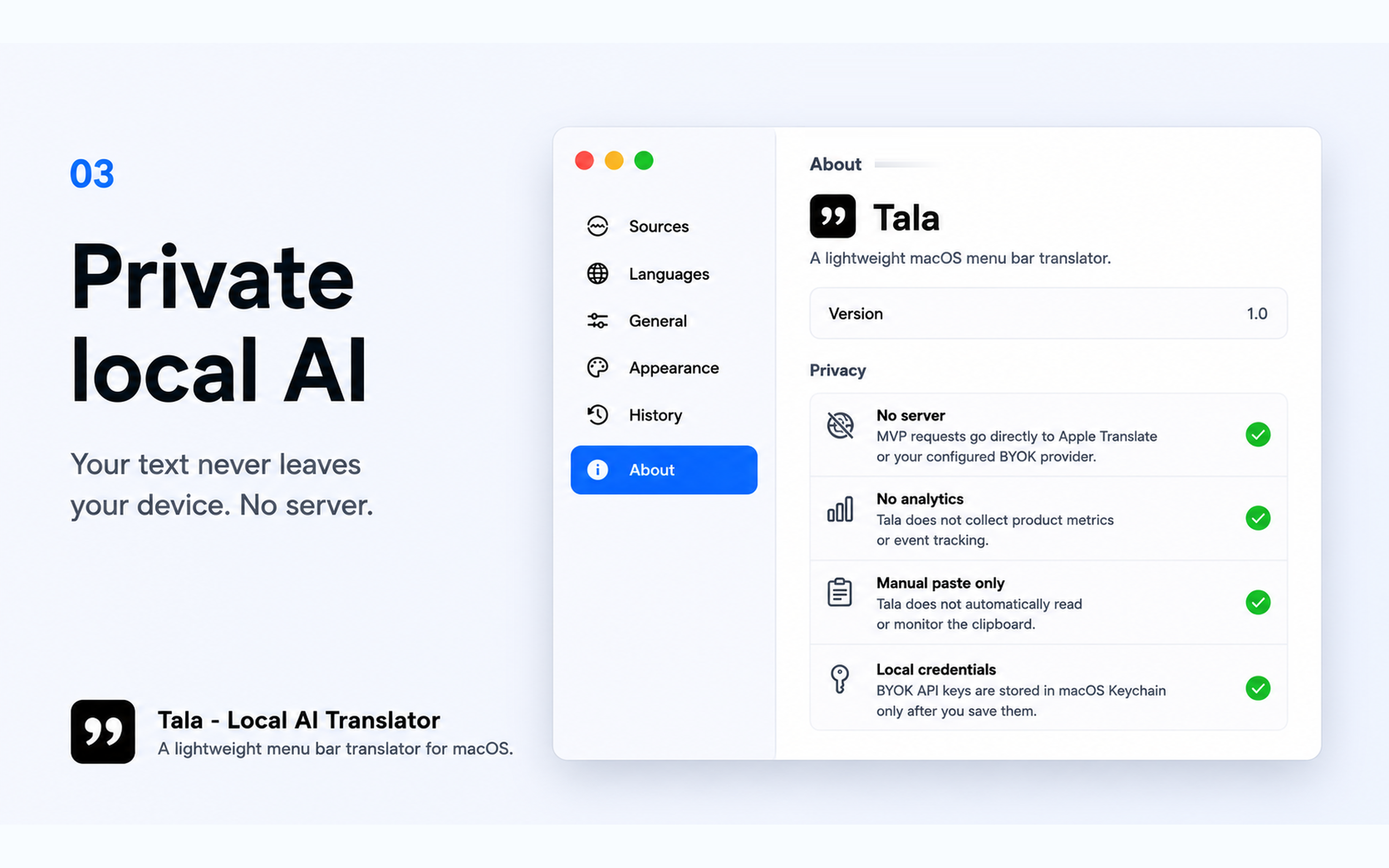
03 Private local AI
Local Hunyuan mode is for text that should not be sent to a translation server. Install the model once, then use on-device translation for privacy-sensitive everyday snippets.
After the core workflow, Tala stays deliberately narrow: short-text translation, visible provider choice, optional history, and a compact menu bar interface.
Keep the translation window close without switching into a large workspace or opening a new browser tab.
Use a local Hunyuan translation model so sensitive short text does not need to leave your Mac.
For supported languages, Tala integrates with Apple's native translation framework on macOS.
Add your own API keys for mainstream providers when you want cloud model quality under your account.
Switch between local AI, Apple Translate, and BYOK providers depending on language, speed, quality, and privacy.
Use optional in-memory history for recent translations without adding product analytics or tracking SDKs.
Privacy-first by design
Local Hunyuan translation runs on your Mac after you install the model. Apple Translate requests are handled by macOS and Apple. BYOK requests go directly to the provider you configure.
Not always. Local Hunyuan mode runs on-device after the model is installed. Apple Translate and BYOK modes may use Apple or the provider you configure.
No. Tala is built for short snippets, not bulk document translation, OCR, browser extension workflows, or file conversion.
BYOK keys are stored locally in macOS Keychain and used directly from your Mac for the provider you choose.
No. Tala is an independent app by Yixiao Zhang. It is not affiliated with, endorsed by, sponsored by, or officially connected to Tencent, Tencent Cloud, or the Hunyuan team.
Now available on the Mac App Store. For questions, contact support [at] yixiao [dot] uk.